> ## Documentation Index
> Fetch the complete documentation index at: https://docs.churningtracker.com/llms.txt
> Use this file to discover all available pages before exploring further.
# Points
> Log point balances across 55 programs, keep their history, and set the valuations that drive profit.
The **Points** page under **Cards & Accounts** holds a balance for each program and owner, with a history of every update. Valuations, the cents-per-point value you assign to each program, are what turn points into dollars across the app: in balance values, in card earnings on orders, and in points earned through cashback portals.
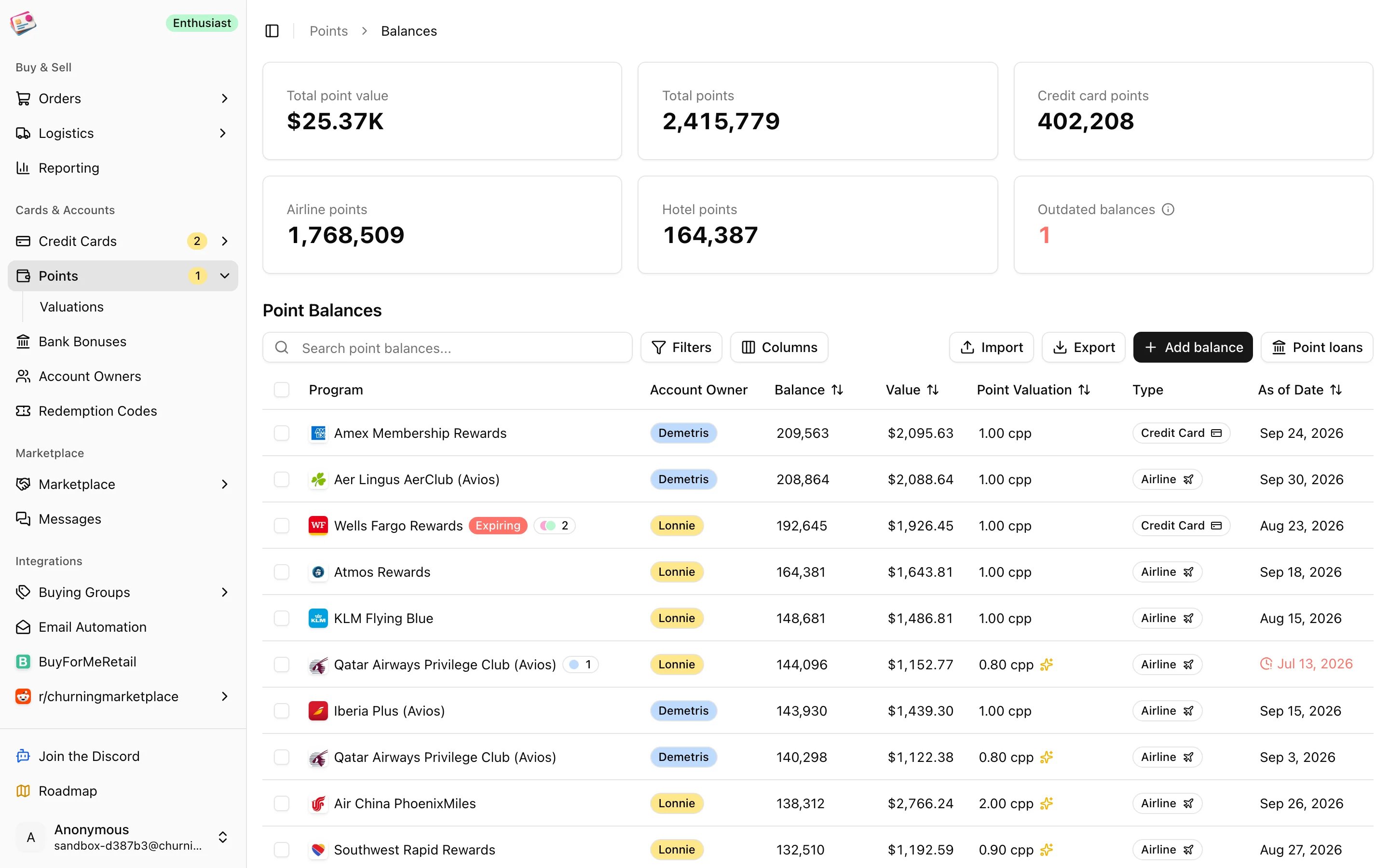 The tiles at the top total your points and their value, split by credit card, airline, and hotel programs, and count balances that haven't been updated in three months.
## Add a balance
Click **Add balance**.
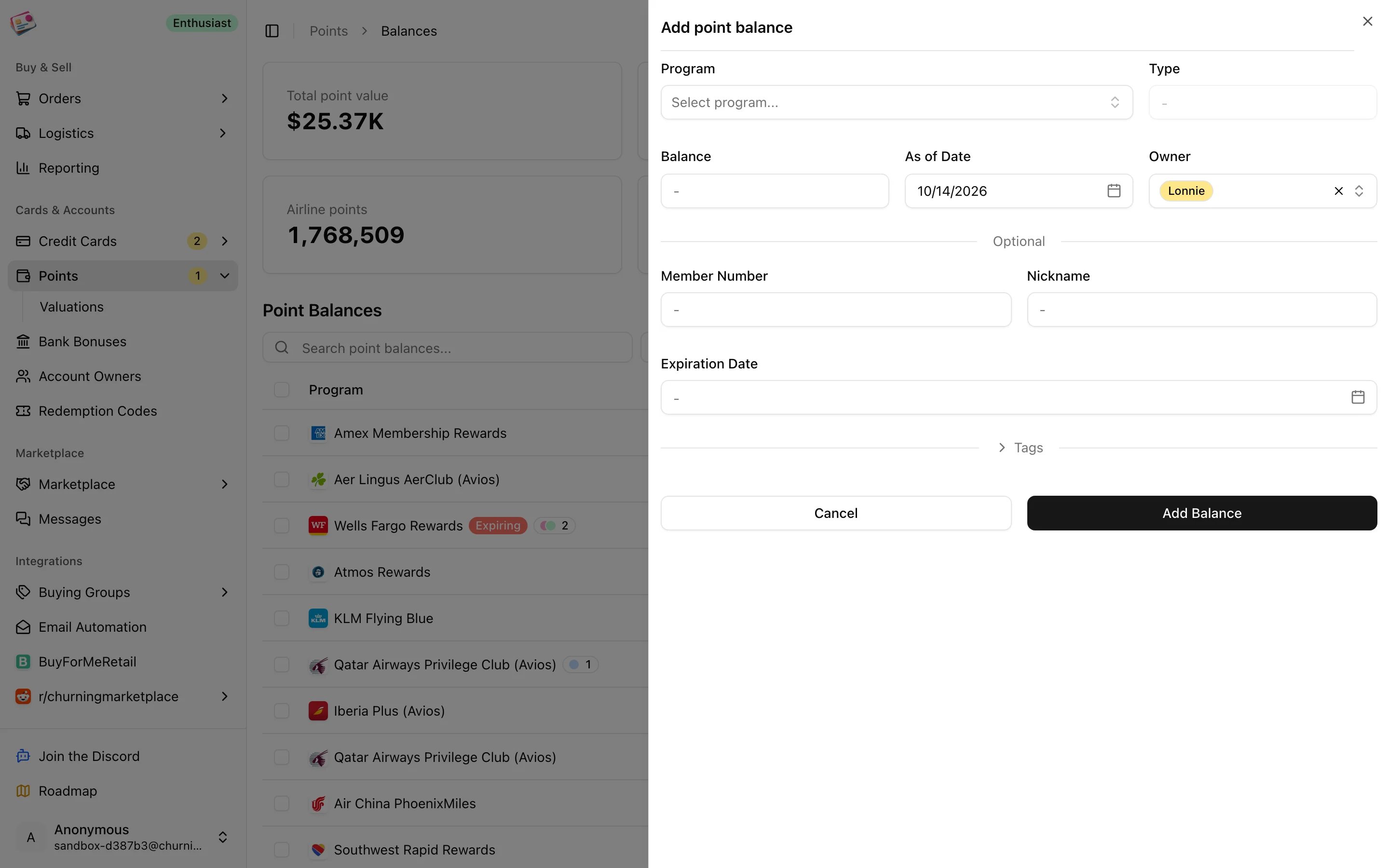
There are 55 programs: 6 credit card, 35 airline, 8 hotel, and 6 other. Owner defaults to your primary account owner. Each program and owner pair can have one balance.
Whole numbers up to 100 million. The as-of date defaults to today. Member number, nickname, expiration date, and tags are optional.
Click **Add Balance**.
The tiles at the top total your points and their value, split by credit card, airline, and hotel programs, and count balances that haven't been updated in three months.
## Add a balance
Click **Add balance**.
There are 55 programs: 6 credit card, 35 airline, 8 hotel, and 6 other. Owner defaults to your primary account owner. Each program and owner pair can have one balance.
Whole numbers up to 100 million. The as-of date defaults to today. Member number, nickname, expiration date, and tags are optional.
Click **Add Balance**.
 ## Keep balances current
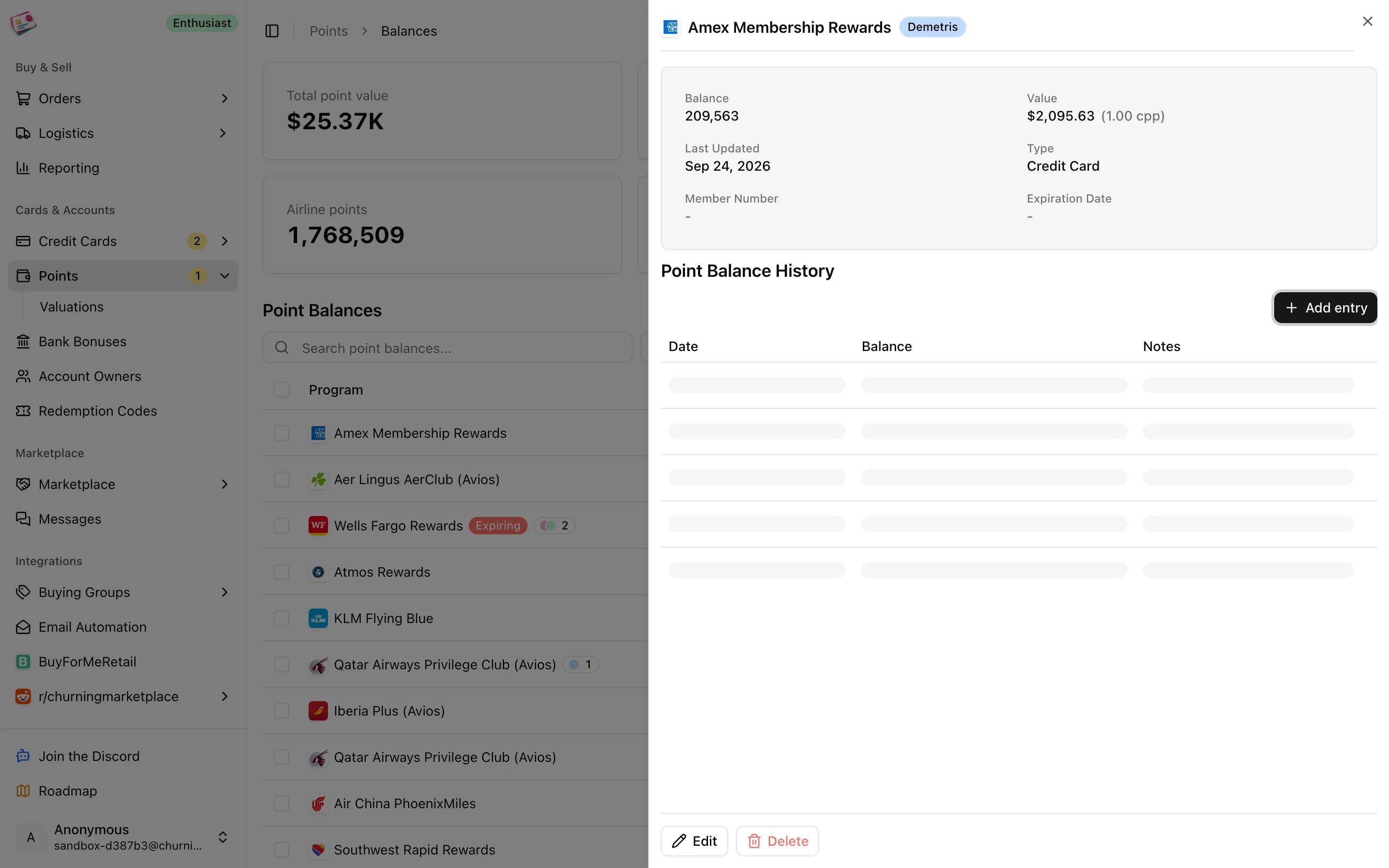
Click the balance in the table and type the new number. Saving creates today's history entry, and the as-of date moves to today. Open a row to see the **Points history** chart and the full history table, where you can edit any entry's date, balance, or notes, add a back-dated entry, or delete one. Two entries on the same date merge; the newest date is the balance shown.
## Keep balances current
Click the balance in the table and type the new number. Saving creates today's history entry, and the as-of date moves to today. Open a row to see the **Points history** chart and the full history table, where you can edit any entry's date, balance, or notes, add a back-dated entry, or delete one. Two entries on the same date merge; the newest date is the balance shown.
 An **Expiring** badge appears when a program's expiration date is within three months. The as-of date turns red after three months without an update, and the sidebar badge counts those stale balances.
## Point valuations
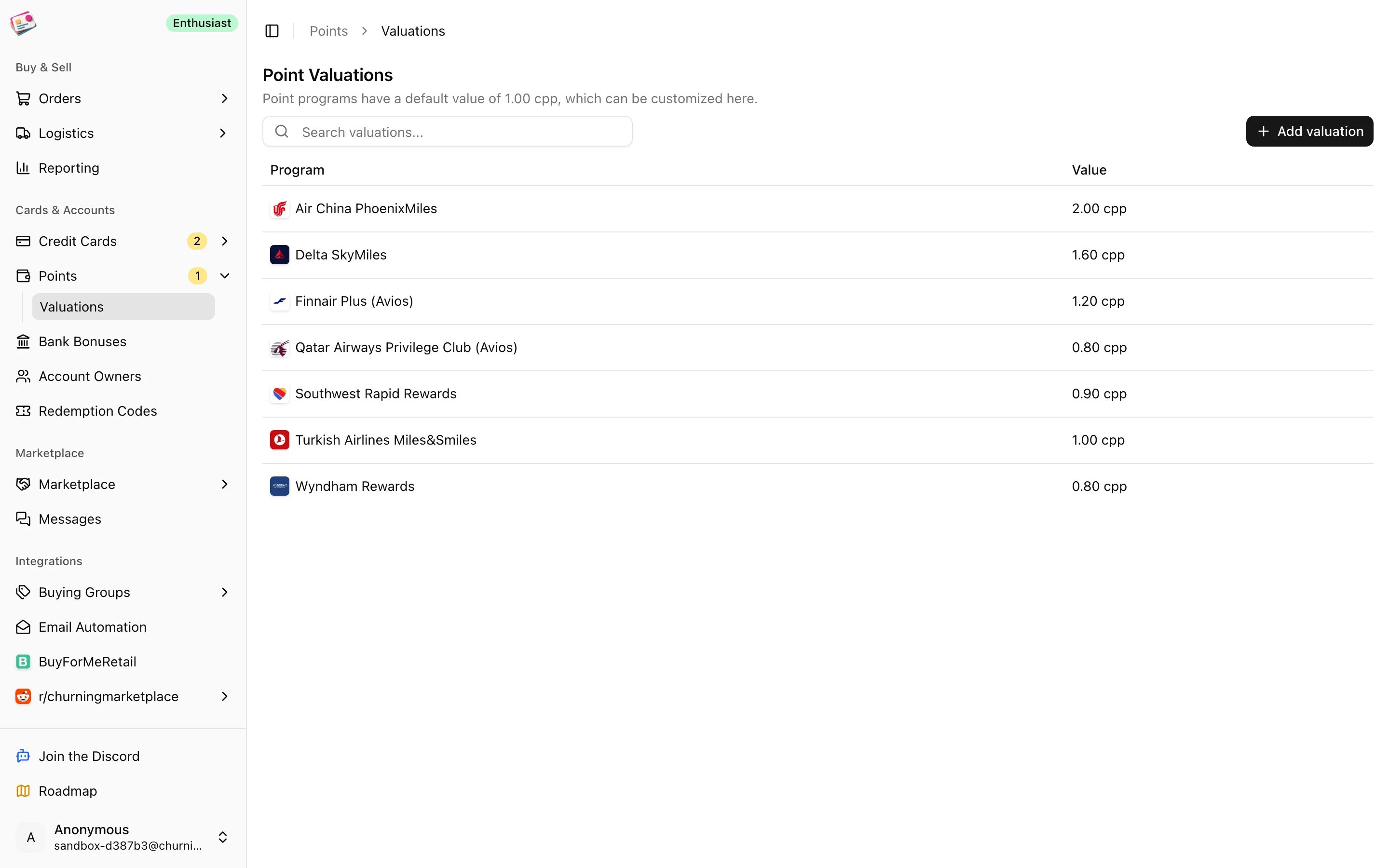
Every program starts at 1.00 cents per point. Change it in the **Point Valuation** column of the balances table, or on **Points → Valuations**, where you can add a valuation for a program you don't hold a balance in yet. A valuation applies to the program for every owner. Deleting one sends the program back to 1.00.
An **Expiring** badge appears when a program's expiration date is within three months. The as-of date turns red after three months without an update, and the sidebar badge counts those stale balances.
## Point valuations
Every program starts at 1.00 cents per point. Change it in the **Point Valuation** column of the balances table, or on **Points → Valuations**, where you can add a valuation for a program you don't hold a balance in yet. A valuation applies to the program for every owner. Deleting one sends the program back to 1.00.
 Valuations are used in three places:
* The **Value** column on the balances page.
* **Card earnings** on orders paid with a points card from Amex, Chase, Capital One, Citi, Wells Fargo, U.S. Bank, or Bilt. See [Credit cards](/cards/credit-cards#earn-rates-and-card-earnings).
* **Points earned through cashback portals** on Rakuten, Capital One Shopping, Chase, AAdvantage eShopping, and Rove Miles orders. See [Cashback orders](/orders/cashback-orders).
Balances themselves never change profit. Only valuations do.
## Working with the table
* **Filters**: as-of date range, tags, program type, owner, outdated balances only, custom valuations only.
* **Bulk actions**: update tags, delete.
* **Import** opens a dialog for a CSV of balances; see [CSV imports](/imports/csv-imports). **Export** is covered in [CSV exports](/csv-exports).
* **Point loans** opens the loan ledger; see [Point loans](/cards/point-loans).
This documentation is built and hosted on [Mintlify](https://mintlify.com), a developer documentation platform.
Valuations are used in three places:
* The **Value** column on the balances page.
* **Card earnings** on orders paid with a points card from Amex, Chase, Capital One, Citi, Wells Fargo, U.S. Bank, or Bilt. See [Credit cards](/cards/credit-cards#earn-rates-and-card-earnings).
* **Points earned through cashback portals** on Rakuten, Capital One Shopping, Chase, AAdvantage eShopping, and Rove Miles orders. See [Cashback orders](/orders/cashback-orders).
Balances themselves never change profit. Only valuations do.
## Working with the table
* **Filters**: as-of date range, tags, program type, owner, outdated balances only, custom valuations only.
* **Bulk actions**: update tags, delete.
* **Import** opens a dialog for a CSV of balances; see [CSV imports](/imports/csv-imports). **Export** is covered in [CSV exports](/csv-exports).
* **Point loans** opens the loan ledger; see [Point loans](/cards/point-loans).
This documentation is built and hosted on [Mintlify](https://mintlify.com), a developer documentation platform.