> ## Documentation Index
> Fetch the complete documentation index at: https://docs.churningtracker.com/llms.txt
> Use this file to discover all available pages before exploring further.
# Retailers
> Keep the logins and shipping addresses you use at each retailer, and add retailers that aren't in the catalog.
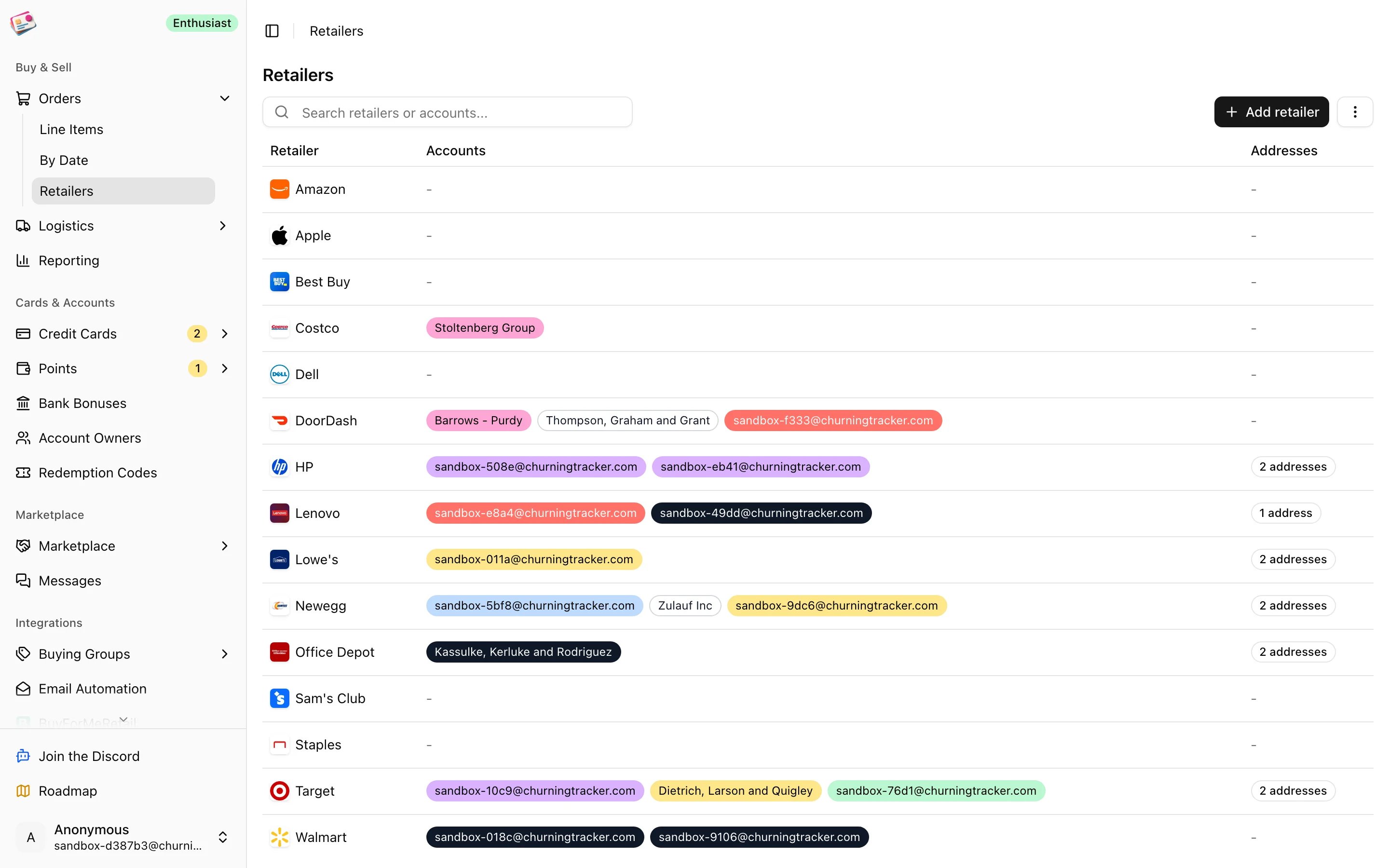
Retailers are where you buy. Churning Tracker ships with a catalog of common ones, and you can add your own. Each retailer can hold the accounts you log in with and the addresses you ship to, so an order can record which Best Buy login placed it. The page is under **Orders → Retailers**.
 ## Catalog and custom retailers
Nine featured retailers always appear: Best Buy, Amazon, Walmart, Costco, Dell, Apple, Sam's Club, HP, and Staples. Other catalog retailers show up once you add an account or address for them. Anything else is a custom retailer: click **Add retailer**, give it a name up to 25 characters, and it joins the list with a Custom badge. Each plan allows a set number of custom retailers; see [Plans and limits](/plans-and-limits).
On the order form, the **Retailer** picker lists featured and custom retailers. For a retailer that's in neither list, click the pencil next to the picker and type the name.
## Retailer accounts
Add one account per login you use at a retailer. Click **Add retailer account** in the toolbar, or **Add account** on the retailer's row, then enter the identifier (usually the email or username), an optional nickname, and a color.
Accounts matter in three places:
* The **Retailer Account** picker on the order form lists the chosen retailer's accounts.
* [Email automation](/imports/email-automation) and the [Chrome extension](/imports/chrome-extension) can assign the right account to imported orders when the account email matches the identifier.
* The orders table can be filtered by retailer account.
Open a retailer's row to see its accounts, rename them, or remove them. The number of accounts per retailer depends on your plan.
## Addresses
Click **Add retailer address** or **Add address** on a row. Each address has a nickname, the street address, and optional name, company, and notes. Addresses are there for you to look up and copy while placing orders. Nothing else in the app uses them.
Removing a custom retailer deletes its accounts and addresses. Existing orders keep their retailer name.
This documentation is built and hosted on [Mintlify](https://mintlify.com), a developer documentation platform.
## Catalog and custom retailers
Nine featured retailers always appear: Best Buy, Amazon, Walmart, Costco, Dell, Apple, Sam's Club, HP, and Staples. Other catalog retailers show up once you add an account or address for them. Anything else is a custom retailer: click **Add retailer**, give it a name up to 25 characters, and it joins the list with a Custom badge. Each plan allows a set number of custom retailers; see [Plans and limits](/plans-and-limits).
On the order form, the **Retailer** picker lists featured and custom retailers. For a retailer that's in neither list, click the pencil next to the picker and type the name.
## Retailer accounts
Add one account per login you use at a retailer. Click **Add retailer account** in the toolbar, or **Add account** on the retailer's row, then enter the identifier (usually the email or username), an optional nickname, and a color.
Accounts matter in three places:
* The **Retailer Account** picker on the order form lists the chosen retailer's accounts.
* [Email automation](/imports/email-automation) and the [Chrome extension](/imports/chrome-extension) can assign the right account to imported orders when the account email matches the identifier.
* The orders table can be filtered by retailer account.
Open a retailer's row to see its accounts, rename them, or remove them. The number of accounts per retailer depends on your plan.
## Addresses
Click **Add retailer address** or **Add address** on a row. Each address has a nickname, the street address, and optional name, company, and notes. Addresses are there for you to look up and copy while placing orders. Nothing else in the app uses them.
Removing a custom retailer deletes its accounts and addresses. Existing orders keep their retailer name.
This documentation is built and hosted on [Mintlify](https://mintlify.com), a developer documentation platform.