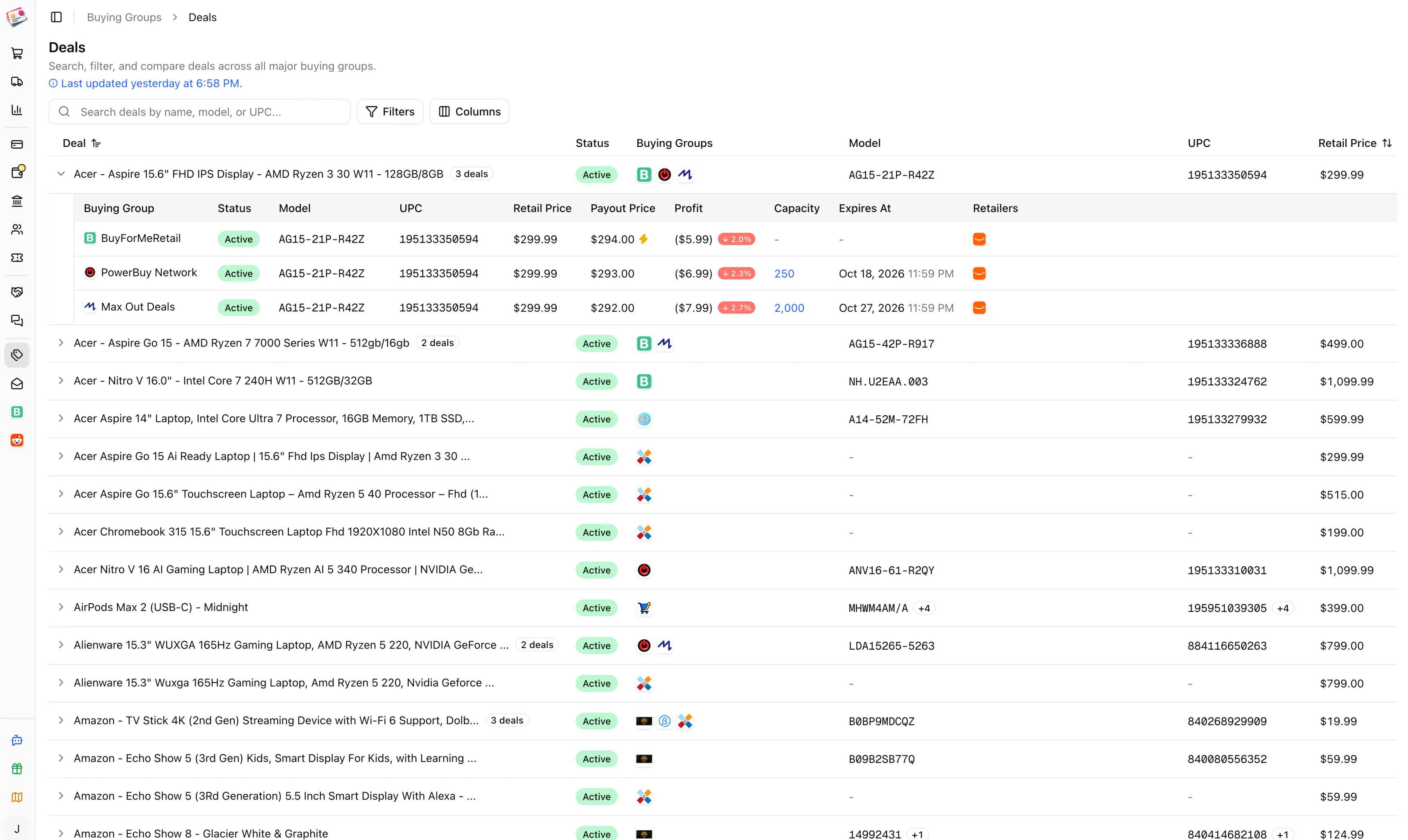
The deals feed under Integrations → Buying Groups → Deals pulls active deals from all 14 supported groups into one searchable table. It refreshes every five minutes. Deals are available on the Enthusiast and Whale plans.
The buying group deals feed

Reading the feed

Deals for the same product are grouped into one row, matched by model number or UPC, so a laptop listed by four groups shows once. The row shows the best deal on top: active deals first, then the highest profit percentage, then the highest payout. Expand a row to see every group’s version with its payout, profit, remaining capacity, expiry, and the retailers that carry it. A lightning icon on a BFMR deal means the group pays out the same day. Columns: Deal, Status, Buying Groups, Model, UPC, Retail Price, Best Payout, Best Profit, Synced At, Expires At. Hover Last updated to see when each group was last synced.
  • Search matches the deal name, model, or UPC.
  • Filters: buying group, deal type (above cost, at cost, below cost), retailer, status (active, inactive, expired), and whether the deal still has capacity.

Expected payouts from deals

On paid plans, the feed also fills in expected payouts for you. When you save a new buying group order line item with a model number of at least three characters and no expected payout, Churning Tracker looks for an active deal from that group with a matching model or UPC and uses its payout. A sparkle icon next to the amount shows it was inferred. This only happens for the 14 built-in groups, only for new line items, and only when you left the expected payout empty. Type a payout yourself and it’s used as is.

Getting notified

To hear about new deals without watching the feed, set up deal alerts.