
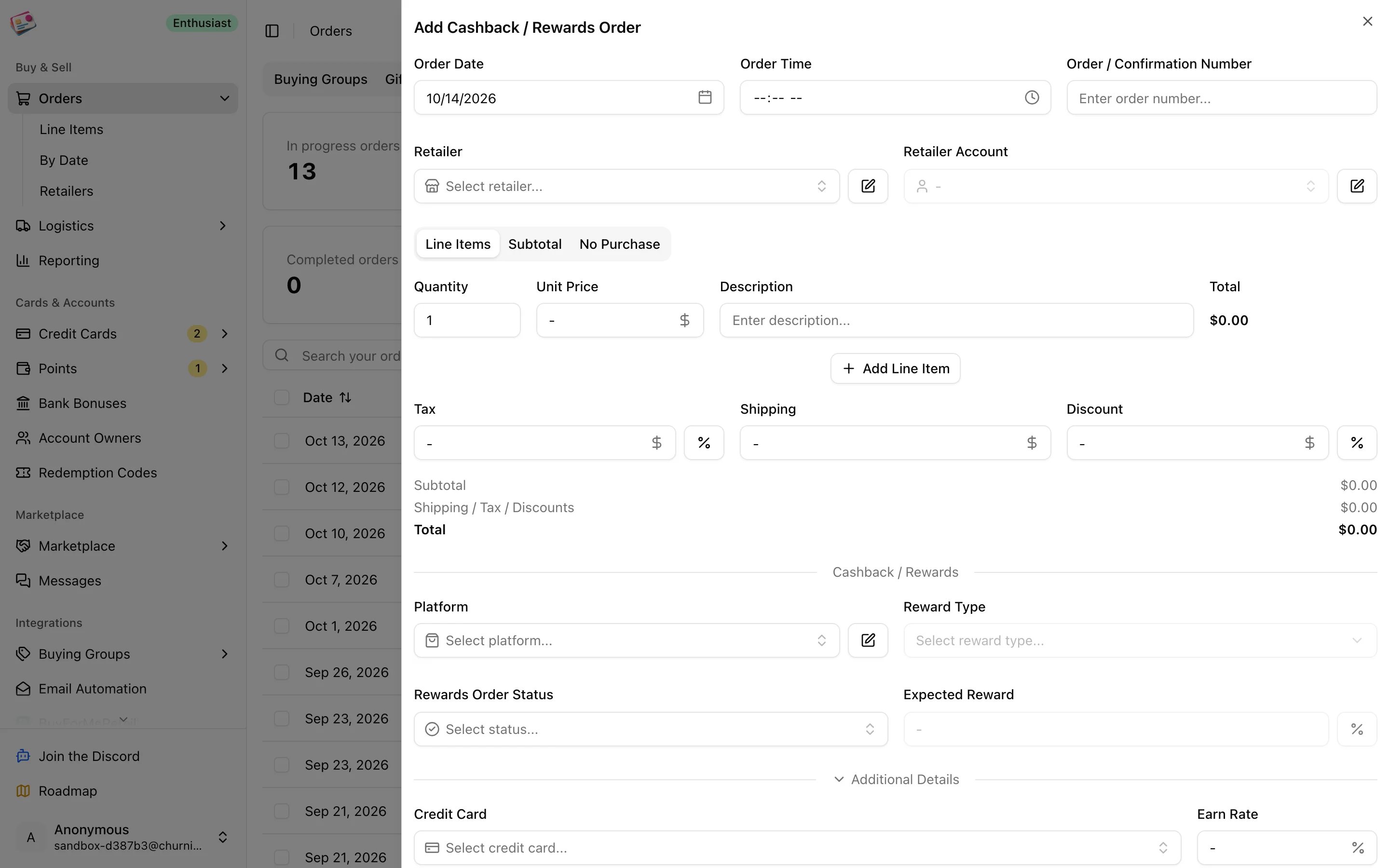
Add a cashback order
1
Open the form
On the Cashback / Rewards tab, click Add order.
2
Enter the order basics and line items
Order date, order number, retailer, retailer account, and the items with their prices.
3
Pick the portal
Choose Rakuten, Capital One Shopping, Chase Shopping Portal, AAdvantage eShopping, Rove Miles, TopCashback, ShopBack, or a custom portal of your own.
4
Set the reward
The reward type, cash or points and miles, follows the portal; some portals offer both. Enter the expected reward as an amount, or use the % toggle to enter the portal’s rate and let the form work it out from the order total. The status defaults to Ordered.
5
Add the card and extras
Pick the credit card under Additional Details, and add codes, tags, notes, or attachments if you need them.
6
Save
Click Add Order.
Statuses
You set these yourself as the portal updates. Once the status is Posted, the reward field on the form is labeled as the actual amount.
How rewards count
- Expected profit on an order includes rewards that are Ordered or Pending.
- Actual profit includes rewards once they’re Posted.
- Points rewards are valued with your point valuation for the matching program on Rakuten, Capital One Shopping, Chase, AAdvantage eShopping, and Rove Miles. Other portals’ points use 1 cent per point.