
Set it up
1
Install the extension
Get it from the Chrome Web Store.
2
Generate an access code
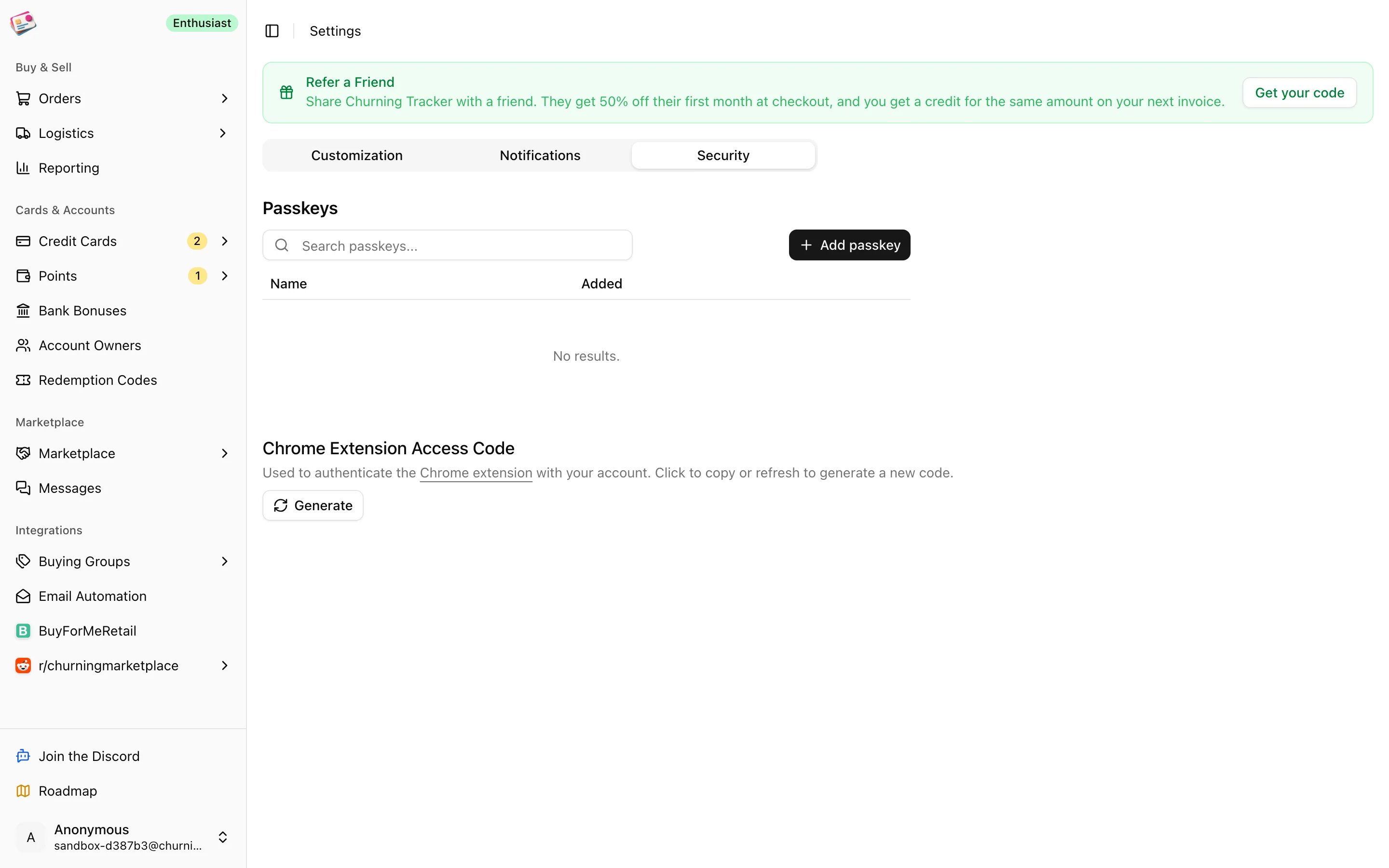
In Churning Tracker, go to Settings → Security and click Generate under Chrome Extension Access Code. Click the code to copy it. The refresh icon makes a new one and invalidates the old.
3
Connect the extension
Open the extension popup, click the gear icon, and enter your Churning Tracker account email and the access code. Pick a default buying group if most of your orders go to one. Click Save; it tests the connection first.
Import orders
1
Open your order history
In the popup, click Order Sync and pick a retailer; it opens the right page for you. Or open the popup while you’re already on Best Buy’s purchase history, Amazon’s orders page, or Walmart’s orders page.
2
Select the orders
The popup lists the orders it can see on the page. Tick the ones you want, or Select All. If the list is empty, scroll the page so more orders load and click Refresh.
3
Confirm
Choose the buying group the orders belong to. Leave Auto-infer credit card on to match the card from the last digits shown on the page, and Auto-infer retailer account on to match your retailer account by the email you’re logged in with. Tick Only update metadata if the orders already exist and you just want to update the card, account, and earn rate.
4
Sync
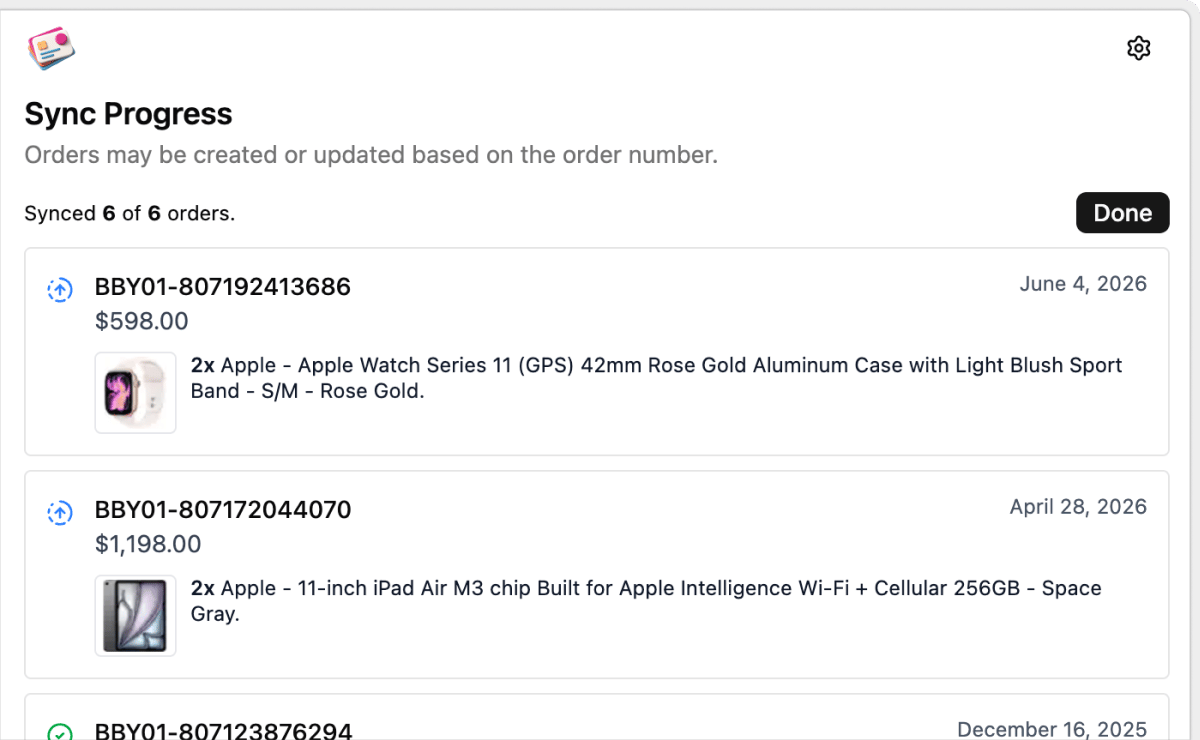
Click Sync Orders. Each order shows whether it was created or updated. A yellow icon means the retailer page needs a reload before trying again.
What gets imported
Order number and date, each line item with its description, quantity, unit price, and model, shipping, tax, and discounts, tracking numbers with their carriers, and the card’s last digits when auto-infer is on. Amazon orders also pick up the earn rate shown on the page. New orders are created as buying group orders with the status Ordered, or Shipped if they already have tracking. Walmart orders that were cancelled come in as Cancelled. If an order with the same retailer and order number already exists, it’s updated rather than duplicated. Line items, fees, tracking, card, and buying group are replaced. Notes, cashback, each line’s expected payout, and the order’s status are kept.The extension only creates buying group orders. Enter gift card and cashback purchases by hand, or through email automation where the retailer is supported.