
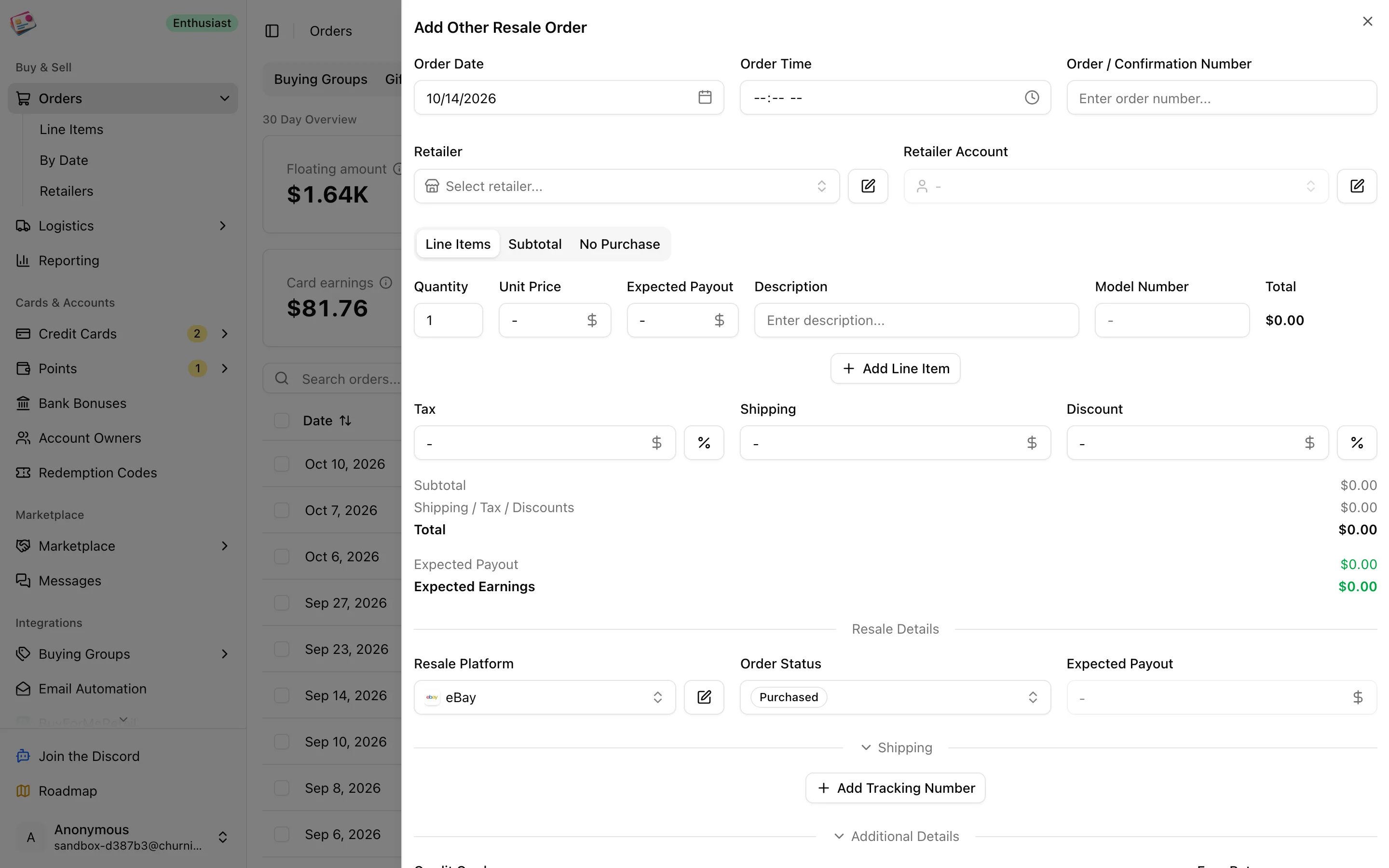
Add an order
1
Open the form
On the Other Resale tab, click Add order.
2
Enter the order basics and line items
Order date, order number, retailer, and retailer account, then one line per item with quantity, unit price, expected payout, description, and model number.
3
Pick the platform and status
Under Resale Details, choose eBay, Marketplace, or a custom platform. Status defaults to Purchased.
4
Add tracking, card, and extras
Add outbound tracking numbers under Shipping when you ship to the buyer; see Shipments. Pick the credit card under Additional Details, and add cashback, codes, tags, or notes if needed.
5
Save
Click Add Order.
Statuses
When a shipment is delivered, an order that hasn’t reached Delivered yet moves there on its own. Recording a completed payout moves the order to Confirmed when the amount reaches the expected payout within 3%, or to Pending if it was still before the Sold stage. Everything else you set yourself.
In Reporting, Confirmed plays the role that Paid plays for buying group orders, and Returned plays the role of Cancelled.